
How to Set Up a Convenient Charging Station for Your Devices
Creating a dedicated charging station for your devices can simplify your daily routine and reduce clutter. Whether you have smartphones, tablets, laptops, or wearable gadgets, having one spot designed for powering them up saves time and frustration. In this post, we’ll guide you through the steps to set up an efficient, neat charging station that fits your home or office needs.
Why Set Up a Charging Station?
With multiple devices increasingly part of our lives, charging cords and adapters can quickly become tangled and scattered. A charging station helps you:
– Keep cords organized and prevent clutter
– Know where all your devices are charging
– Reduce wear on cables by avoiding constant plugging/unplugging
– Keep devices safely off the floor or countertops
– Make charging more efficient with the right power supplies
Step 1: Choose the Right Location
Picking a convenient and accessible spot is the first important decision.
– Consider traffic patterns: Set up where you often sit or work, such as a desk, kitchen counter, or living room side table.
– Near power outlets: Ensure the area has enough reachable outlets or consider using a power strip.
– Keep it safe: Avoid areas prone to spills or heat, like near the stove or a heater.
– Think about aesthetics: Select a spot that you won’t mind keeping visible daily.
Step 2: Gather Your Supplies
Depending on how many devices and types you need to charge, your supplies will vary.
Basic Supplies:
– Power strip or surge protector with multiple outlets
– USB charging hub with multiple ports (preferably with fast charging)
– Cable organizers such as clips, sleeves, or boxes
– A table, shelf, or any flat surface for your station
Optional Supplies:
– Charging dock or stand for specific devices (phones, smartwatches)
– Label maker or tags for cables
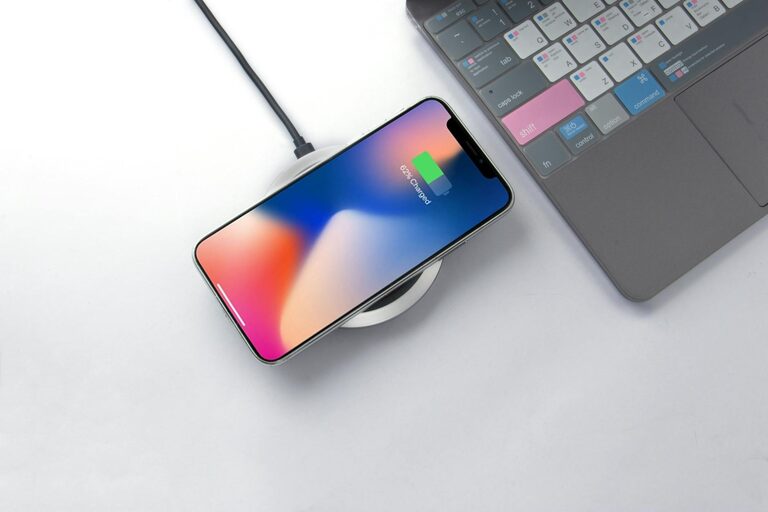
– Wireless charging pad for compatible devices
– Small basket or drawer organizer for cables and accessories
Step 3: Organize Your Charging Cables
Cables can tangle quickly, so organizing them is key.
– Use cable clips or holders to keep cords in place.
– Wrap excess cord length using Velcro straps or reusable ties.
– Consider labeling cables so you know which device they belong to.
– Store rarely used cables separately to avoid clutter.
Step 4: Set Up the Power Source
A reliable power source is essential for your station.
– Connect a surge protector or power strip to the wall outlet to provide multiple plugs.
– Arrange your USB charging hub on the surface for easy access.
– Ensure cables are plugged in securely but don’t overload outlets.
– If you have wireless chargers, place them where phones can rest comfortably.
Step 5: Arrange Your Devices
Once your power setup is ready, arrange your devices neatly.
– Place charging docks or stands in easy-to-reach positions.
– Keep similar types of devices grouped together.
– Avoid stacking devices on top of each other, which can cause overheating.
– Leave enough space around devices to allow airflow and prevent damage.
Step 6: Maintain Your Charging Station
A charging station is most helpful when it’s kept tidy and functional.
– Regularly unplug and inspect cables for wear or damage.
– Clean the area to avoid dust buildup, which can affect electrical contacts.
– Update your setup as you add or remove devices.
– Recharge your power strip or hubs if they have batteries or backup options.
Tips for a Smarter Charging Station
– Invest in fast chargers suitable for your devices to reduce charging time.
– Use cable organizers with adhesive backing to stick cables to the desk or wall.
– Set up a portable charging station box if you need mobility.
– Consider integrating smart plugs to control charging times and save energy.
– Keep a small notebook or whiteboard nearby to track charging schedules or device issues.
Final Thoughts
Setting up a dedicated charging station may take some time initially, but it pays off in convenience and reduced clutter. The key is to choose a practical location, gather the right supplies, organize cables well, and keep everything maintained. With a little planning, your devices will always be charged and ready without the mess.
Do you have a favorite way to organize your chargers and cables? Share your tips in the comments!
