Desk Setup Tips for Focus and Comfort: Create Your Ideal Workspace
Creating a desk setup that promotes both focus and comfort is essential for anyone spending significant hours working at a computer or performing desk-based tasks. Whether you work from home, in an office, or a shared space, an efficient and ergonomic desk setup can enhance productivity while supporting your well-being.
In this post, we’ll explore practical tips for organizing and arranging your workspace to help you stay focused, reduce distractions, and maintain comfort throughout the day.
Why a Good Desk Setup Matters
Your environment strongly influences how well you work. A cluttered or poorly arranged desk can create distractions, cause physical discomfort, and reduce concentration. Conversely, a well-thought-out desk setup can:
– Improve your posture and reduce strain
– Minimize distractions
– Encourage efficient workflow
– Make it easier to stay organized
– Boost overall productivity and well-being
Let’s dive into the key components of an effective desk setup.
1. Choose the Right Desk and Chair
Desk
– Opt for a desk with enough surface area to hold your essentials like your computer, notebook, and other tools without overcrowding.
– Consider a height-adjustable desk if you want the flexibility to alternate between sitting and standing. This can help reduce fatigue and improve circulation.
– Make sure the desk surface is sturdy and stable.
Chair
– Select an ergonomic chair that supports your lower back.
– Look for adjustable features such as height, backrest angle, and armrests.
– Sit with your feet flat on the floor and knees at a 90-degree angle to maintain comfort.
2. Position Your Monitor Correctly
Placing your computer monitor at the proper height and distance reduces eye strain and neck pain.
– Your monitor should be about an arm’s length away.
– The top of the screen should sit at or slightly below eye level.
– Angle the screen to reduce glare.
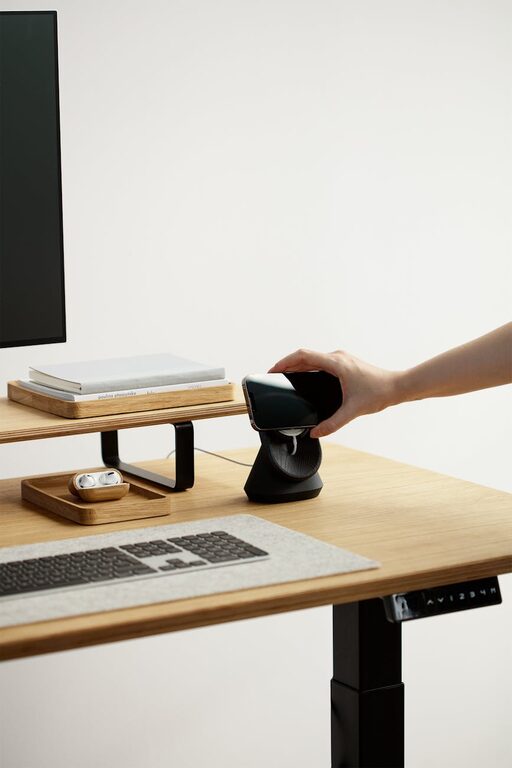
– Use a monitor stand or riser if needed to achieve the correct height.
3. Organize for Minimal Distractions
– Keep your desktop tidy; remove any items that don’t serve your work tasks.
– Use desk organizers or trays to store pens, paper, and other essentials.
– Consider cable management tools like clips or sleeves to keep cords neat and out of the way.
– Limit personal items on your desk to one or two favorites to avoid clutter.
4. Optimize Lighting
Good lighting can reduce eye strain and increase alertness.
– Natural light is ideal; position your desk near a window if possible.
– Use a desk lamp with adjustable brightness to supplement lighting.
– Avoid harsh overhead fluorescents that can cause glare or shadows.
– Position your light source to the side rather than directly behind or in front of your screen to prevent glare.
5. Maintain Good Posture Habits
Even with the perfect setup, posture matters.
– Keep your back straight and shoulders relaxed.
– Avoid leaning forward excessively.
– Take breaks to stretch and stand every 30-60 minutes.
– Use a footrest if your feet don’t comfortably reach the floor.
6. Personalize Without Overdoing It
Adding personal touches can make your workspace more inviting, which may help motivation.
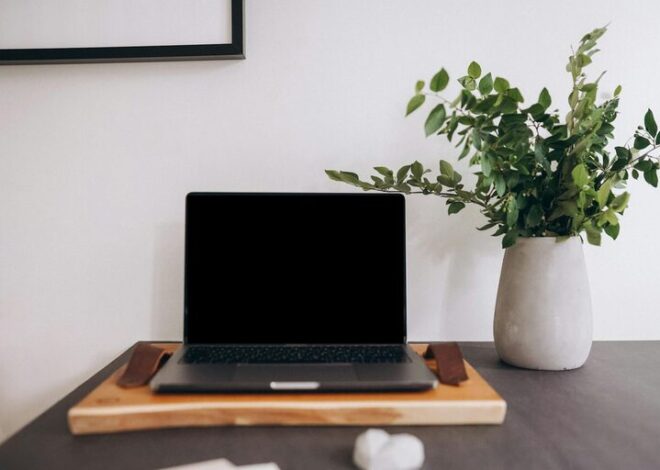
– Use a plant for a touch of greenery.
– Hang inspiring artwork or motivational quotes nearby.
– Choose calming colors in your workspace accessories.
– Just don’t overcrowd your space—balance is key.
7. Incorporate Tools That Enhance Focus
Certain accessories can help maintain concentration.
– Noise-canceling headphones can block distractions in noisy environments.
– A white noise machine or app can create a consistent auditory backdrop.
– Use timers or productivity apps to structure your work sessions (e.g., Pomodoro technique).
8. Maintain Your Setup Regularly
– Spend a few minutes at the end of each day to clear unnecessary clutter.
– Re-evaluate your setup periodically to ensure it continues to meet your needs.
– Replace worn-out items like chair cushions or keyboard mats to maintain comfort.
—
Final Thoughts
A desk setup that combines comfort, organization, and good ergonomics can significantly improve your ability to focus and reduce discomfort during work. Small adjustments like monitor height, lighting, and chair support often make a big difference. Remember that your workspace should adapt to your unique preferences and tasks—don’t hesitate to experiment until you find what works best for you.
By investing a little time to optimize your desk setup, you create an environment that nurtures productivity and well-being all day long. Happy organizing!